
WordPress is one of the most popular content management systems (CMS) in the world, powering over 40% of all websites globally. Despite its widespread use, there are still many misconceptions about this platform. Whether you’re a beginner or an experienced web developer, it’s important to separate fact from fiction to get the most out of WordPress. In this article, we’ll cover some of the most common myths and explain why they’re false. Discover the Truth About These 20 Common Misconceptions About WordPress—No Doubts Will Be Left in Your Mind. Let’s start debunking these WordPress myths...
10. WordPress Sites Are Not Mobile-Friendly
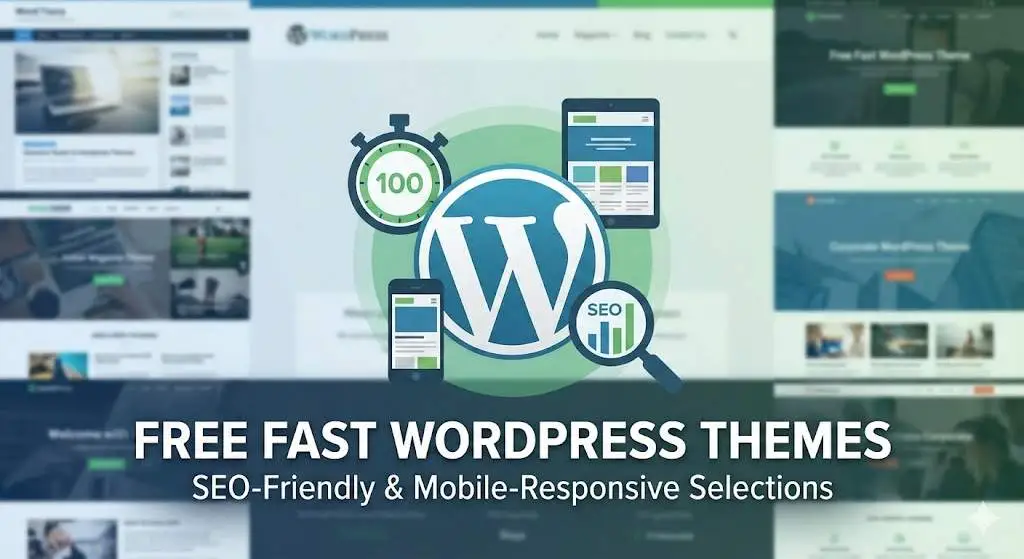
With mobile browsing overtaking desktop traffic in recent years, having a mobile-friendly website is a must. One common WordPress myth is that WordPress sites are not mobile-optimized by default, but this isn’t the case.
The Truth: WordPress themes, especially modern ones, are built with mobile responsiveness in mind. Many themes are designed to automatically adapt to different screen sizes, ensuring your website looks good and functions well on mobile devices. Additionally, with tools like Elementor and other page builders, it’s easy to create custom mobile-friendly layouts.
In conclusion, the idea that WordPress is not mobile-friendly is just one of many WordPress myths that can be debunked with the right knowledge.
Why It’s Important to Know:
In today’s digital landscape, mobile optimization is crucial for user engagement and SEO rankings. WordPress gives you the tools to ensure your site works seamlessly across all devices. If you choose the right theme and plugins, you can create a mobile-optimized site with minimal effort.
11. WordPress Is Too Bloated with Plugins
Some people believe that WordPress websites become bloated and slow due to an excessive number of plugins. While it’s true that adding too many unnecessary plugins can lead to performance issues, this is not a problem unique to WordPress.
The Truth: WordPress plugins are essential for extending the functionality of your site, but it’s important to choose them wisely. Quality plugins that are well-coded and maintained will not slow down your site. In fact, with the right selection of plugins, WordPress can run smoothly and efficiently. Regular plugin updates, avoiding unnecessary plugins, and using performance optimization tools like caching can keep your site running fast.
This myth about WordPress becoming bloated with plugins fails to acknowledge that, when used properly, plugins can enhance your site's performance without compromising speed.
Why It’s Important to Know:
Don’t shy away from using plugins. Instead, focus on using reputable, lightweight plugins that meet your website’s needs. Regularly review your plugin list and remove any that are no longer necessary to keep your site performing optimally.
12. WordPress Doesn’t Have Good Support
Many people believe that WordPress lacks official support, unlike proprietary platforms like Shopify or Wix, which offer dedicated customer service teams.
The Truth: While WordPress doesn’t offer 24/7 customer support in the same way, it has a massive community of users and developers who can help with troubleshooting, advice, and solutions. There are countless forums, including the WordPress support forum, and many third-party companies offer premium support packages. Additionally, most themes and plugins have dedicated support teams, and there are extensive documentation resources available.
This myth about WordPress lacking support overlooks the vast resources and community-driven help available, debunking the misconception that users are left without assistance.
Why It’s Important to Know:
Although WordPress doesn't have a formal support hotline, the community support available is vast and highly active. Most problems you encounter will have solutions that can be found through forums, tutorials, and developer guides. If needed, premium support options are also available.
13. You Can Only Use WordPress for Simple Websites
A common myth about WordPress is that it can only handle simple websites or personal blogs. While it is beginner-friendly, that doesn’t mean it’s limited to basic use cases.
The Truth: WordPress is more than capable of supporting complex, high-functioning websites. With custom post types, advanced themes, and plugins, you can build sophisticated websites with unique features. WordPress is used by global brands and organizations for complex projects, including large online stores, membership platforms, educational sites, and corporate websites.
This myth about WordPress being limited to simple sites is just another example of a misconception, as the platform can handle a wide range of complex and dynamic projects.
Why It’s Important to Know:
If you’re concerned about the complexity of your website project, don’t let that stop you from using WordPress. With the right customization, WordPress can handle any size or scope of project. For more complex requirements, you can always work with a developer to create custom features or integrations.
14. You Need to Constantly Update WordPress
Some people are hesitant to update their WordPress websites because they believe it could break their site or cause issues with themes and plugins.
The Truth: While updates are essential for security, performance, and compatibility, they don’t automatically cause problems. WordPress has made strides in ensuring that updates are smooth, and most plugin developers work to keep their products compatible with the latest WordPress versions. Before updating, it’s always wise to back up your site and check plugin and theme compatibility, but updates themselves are generally safe.
This myth about updates causing issues is one of many WordPress myths that can be debunked by understanding the platform’s improvements and best practices for maintenance.
Why It’s Important to Know:
Regular updates are critical for keeping your website secure and performing well. Rather than avoiding them, schedule periodic updates and backups to ensure that your website stays up-to-date without issues.
15. WordPress Is Too Complicated for SEO
A common misconception about WordPress is that it is not optimized for SEO (Search Engine Optimization) out of the box. People often think that to achieve good rankings on Google and other search engines, a separate SEO tool or expertise is required.
You May also like this 👉 Detailed WordPress SEO Guide From Beginner To Advanced
The Truth: WordPress is, in fact, one of the most SEO-friendly content management systems available. With its clean code, fast loading speeds, and built-in features, WordPress provides an excellent foundation for SEO. Additionally, a variety of powerful SEO plugins, such as Yoast SEO and Rank Math, make it easy to optimize your website's content, metadata, and other SEO factors, even for beginners.
Why It’s Important to Know:
With the right plugins and practices, WordPress can be easily optimized for SEO. From creating clean URLs and managing sitemaps to adding meta tags and image alt text, WordPress provides all the tools you need to rank higher in search results.
16. You Need to Manually Handle All Content Updates
Many people believe that once you build your WordPress site, you need to manually update every post, page, and other content. This is a misconception because WordPress provides robust content management features that allow you to easily edit and schedule posts, automate certain tasks, and manage content in bulk.
The Truth: WordPress includes features like scheduled publishing, content versioning, and automatic content updates (depending on plugins). Additionally, there are automation tools that can help streamline tasks like content updates, social media posting, and email marketing, all integrated with WordPress.
This myth about manual content updates highlights a misunderstanding of WordPress's powerful content management capabilities, which can make website maintenance much easier and more efficient.
Why It’s Important to Know:
Automation and efficient content management can save you time and effort. WordPress gives you the flexibility to plan your content in advance and update it with minimal manual intervention, which is especially useful for businesses or individuals managing large amounts of content.
17. WordPress Will Limit My Design Flexibility
Some people think that WordPress’s themes are too restrictive, limiting their ability to design a truly unique website. While many themes come with pre-designed layouts, the customization options are often more extensive than people realize.
The Truth: WordPress allows for deep customization. While many themes come with predefined structures, they can be customized through the WordPress Customizer, child themes, and the use of page builders like Elementor and WPBakery. Additionally, WordPress offers flexibility for advanced customizations, including custom themes and templates built with CSS, HTML, and PHP, which developers can use to create a unique look and feel.
Why It’s Important to Know:
WordPress is not restrictive when it comes to design. If you want a unique, one-of-a-kind website, there are plenty of ways to create it with custom code or page builders. Themes are a starting point, but the real flexibility comes from the customization options available within the platform.
18. You Can’t Easily Switch to Another Platform from WordPress
Some people avoid using WordPress because they think it will be too complicated to migrate their site to another platform down the line if they ever choose to do so.
The Truth: Migrating from WordPress to another platform is completely possible, but it depends on the complexity of your site and the platform you’re moving to. There are migration tools available, such as All-in-One WP Migration and UpdraftPlus, that can help make the transition smoother. However, just like with any platform, moving your site involves careful planning and execution, especially if you have a large site with many pages and customizations.
Why It’s Important to Know:
If you ever decide to switch platforms, WordPress is relatively flexible when it comes to migration. However, it's always a good idea to back up your website and consider the implications of migration before making the switch.
19. You Can’t Build Membership or Subscription Websites with WordPress
Another myth is that WordPress can’t handle membership or subscription-based websites. Some believe that WordPress is only for informational or e-commerce sites and doesn’t have the functionality needed for such specialized models.
The Truth: WordPress is highly adaptable and has powerful plugins like MemberPress and Restrict Content Pro, which allow you to easily build membership sites with features such as subscription management, paywalls, content protection, and membership tiers.
This myth about WordPress not supporting membership sites is just another example of a common misunderstanding, which can be debunked by utilizing the right tools and plugins available on the platform.
Why It’s Important to Know:
If you’re planning to create a membership or subscription-based website, WordPress offers robust solutions. With the right plugins and configuration, you can easily build a website that supports members-only content, subscription billing, and member management.
20. WordPress Sites Always Look the Same
Here we come to the last of the WordPress myths. One of the biggest myths about WordPress is that all WordPress sites have a similar look and feel, making it hard to stand out. While WordPress has many popular themes, that doesn’t mean that every site looks the same.
You May also like this 👉 Is It WordPress and What Theme Is That?
The Truth: WordPress is highly customizable, and there are thousands of themes, both free and premium, that offer varied designs and layouts. Additionally, WordPress allows for custom themes and complete freedom in terms of design, so you can make your site look completely unique. With design tools, page builders, and custom CSS, you have the power to create any aesthetic you desire.
Why It’s Important to Know:
WordPress gives you the creative freedom to design a website that aligns with your brand’s identity and stands out from the crowd. With the right tools, you can create an entirely unique look for your site, whether through pre-designed themes or custom development.
Ultimately WordPress is More Than It Seems
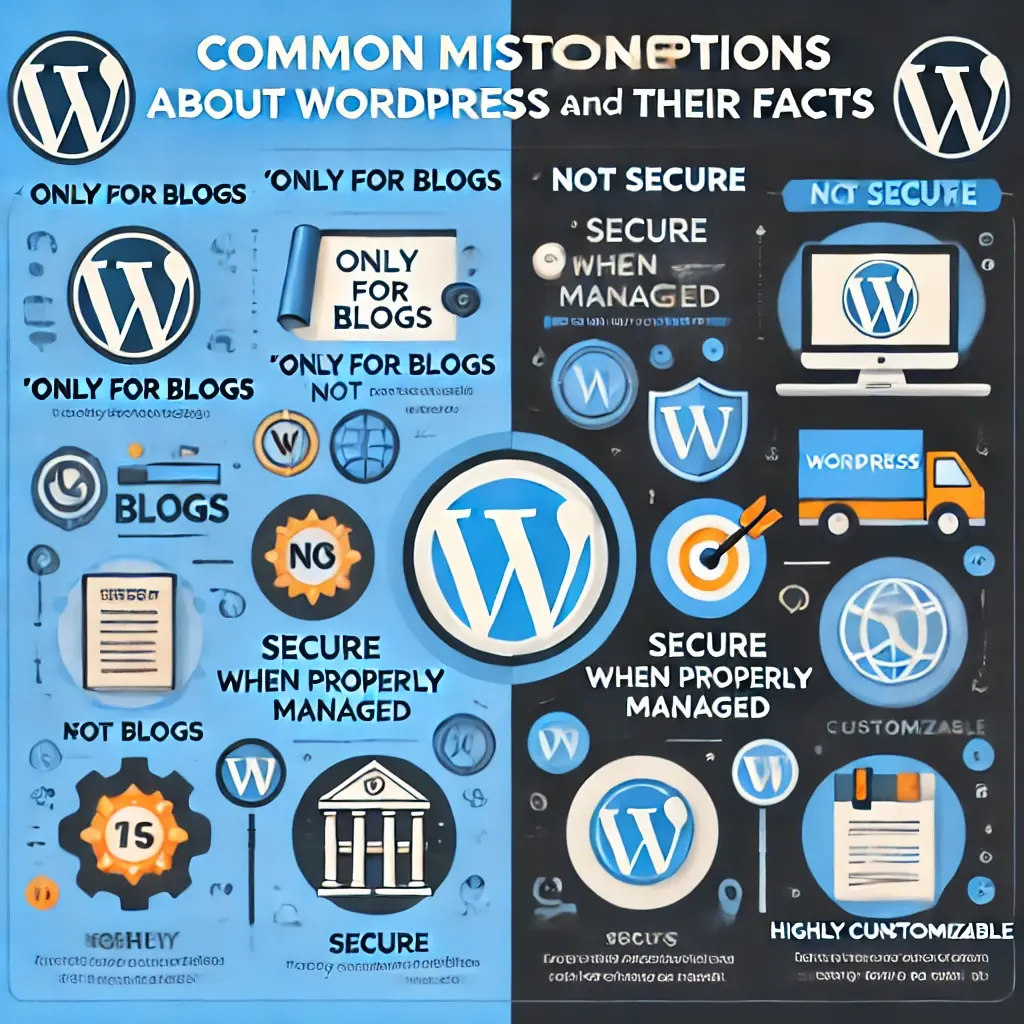
Over the years, WordPress has evolved into an incredibly powerful platform that offers incredible flexibility, scalability, and ease of use. By debunking these WordPress myths, we’ve shown you that WordPress can do much more than just blogging or simple websites. Whether you’re building an eCommerce store, a membership site, a business website, or even a large-scale project, WordPress has the tools and resources to meet your needs.
Understanding these myths and realities will help you make informed decisions when using WordPress. With a vast ecosystem of plugins, themes, and developer tools, WordPress offers a comprehensive solution for anyone looking to build and manage a professional website.
Embrace the power of WordPress and unleash its full potential. With the right approach, you can create a website that is secure, fast, scalable, and perfectly suited to your needs, no matter how complex your project.
Let's move on to Real World Examples of Websites Built with WordPress that prove that WordPress myths are just that, myths.
Real-World Examples of Websites Made with WordPress
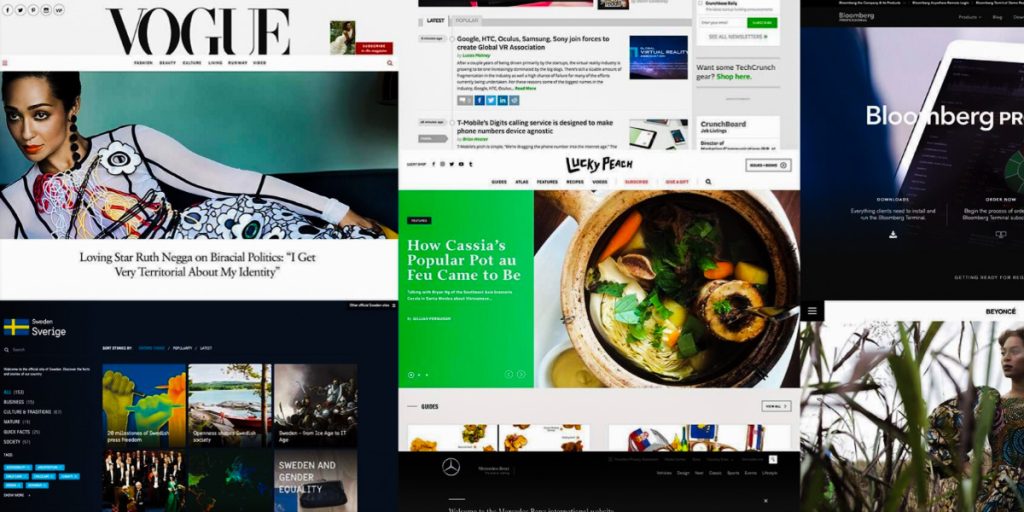
WordPress powers over 40% of the web, making it a favorite platform for websites across industries. Let’s explore some well-known websites built with WordPress and examine how they leverage its capabilities:
- Type: Technology News
- Why WordPress?: TechCrunch is a global leader in technology news, handling millions of visitors each month. WordPress provides the scalability and flexibility required for such high-traffic websites. Custom plugins and themes allow the site to maintain a fast, user-friendly design optimized for content-heavy pages.
- Type: Editorial and Magazine
- Why WordPress?: Known for its rich, long-form journalism, The New Yorker uses WordPress to manage its vast content library. Features like custom subscription integrations and responsive design ensure a premium reading experience for subscribers and casual readers alike.
- Type: Media and Entertainment
- Why WordPress?: BBC America combines WordPress's flexibility with custom-built features like video galleries, promotional banners, and social media integration. This allows the site to deliver TV show highlights, blogs, and exclusive content in an engaging and visually appealing way.
- Type: Government Information
- Why WordPress?: The official website of the U.S. President chose WordPress for its ease of use and secure infrastructure. Custom themes helped meet government-level accessibility standards while ensuring mobile responsiveness and straightforward navigation.
- Type: Personal Portfolio
- Why WordPress?: Beyoncé’s website is a testament to WordPress’s ability to deliver high-quality, creative websites. The site uses multimedia embedding and e-commerce functionality to showcase her music and sell merchandise, all within a stunning, custom design.
- Type: Corporate Branding
- Why WordPress?: Disney’s corporate website uses WordPress to share financial updates, press releases, and company information. Its custom theme ensures a professional, polished appearance while maintaining brand identity.
7. Variety
- Type: Entertainment News
- Why WordPress?: Variety leverages WordPress for its dynamic content management capabilities, allowing the site to publish breaking news and reviews efficiently. Multimedia integration makes it an excellent platform for delivering entertainment news to millions of visitors daily.
8. Microsoft News
- Type: Corporate Blog
- Why WordPress?: Microsoft News showcases the versatility of WordPress by using it for its blog. The platform allows Microsoft to deliver news updates, press releases, and insights through a streamlined, professional design.
9. Rolling Stone
- Type: Music and Culture News
- Why WordPress?: Rolling Stone uses WordPress to manage its massive repository of articles, reviews, and interviews. With a sleek, customizable layout and efficient multimedia support, the site provides a modern user experience for music and culture enthusiasts.
10. TED Blog
- Type: Educational Blog
- Why WordPress?: TED’s blog highlights the simplicity and effectiveness of WordPress. It allows for seamless content updates, clean design, and multimedia integration, making it ideal for sharing inspiring stories and videos.
These websites demonstrate how WordPress adapts to a variety of needs, from high-traffic news platforms to personal portfolios and corporate blogs. Each site takes advantage of WordPress’s scalability, customization options, and user-friendly content management system to deliver exceptional user experiences.
By debunking WordPress myths, these examples show that the platform is capable of supporting diverse and complex websites, making it a powerful choice for any project.
Now that we have debunked the WordPress myths and laid out the facts, let's make some final remarks.
Wrapping Up the Truth Behind WordPress Myths
WordPress is a powerful and versatile platform that has stood the test of time. While myths and misconceptions may discourage newcomers or even seasoned users, we’ve uncovered the reality behind the common rumors. From security concerns to its scalability and suitability for all kinds of projects, WordPress proves itself to be far more robust than critics might suggest.
At its core, WordPress is a reflection of its user base—diverse, adaptable, and ever-evolving. Whether you’re a small business owner, a blogger, or a developer building complex applications, WordPress offers tools to match your needs. By focusing on best practices, keeping your installation updated, and leveraging the vast community support, you can make the most out of what WordPress has to offer.
In the end, WordPress is not just a CMS; it is a platform that empowers creativity and innovation. Don’t let the WordPress myths hold you back. Explore, experiment and take control of your online presence with confidence.
In this article, I have debunked WordPress Myths for you. For my other WordPress articles, please click on the link 👉 WordPress
References and further reading
Editorial history
- Published
- Last updated
- Last reviewed

About Algorithm Man (Algo)
System Architect & Technical Consultant publishing tested, practical guidance on WordPress, SEO, programming, AI, and algorithms.
Experience and editorial standards

Leave a comment
Questions, corrections, or your experience with this guide — share them below.